 Chat with us

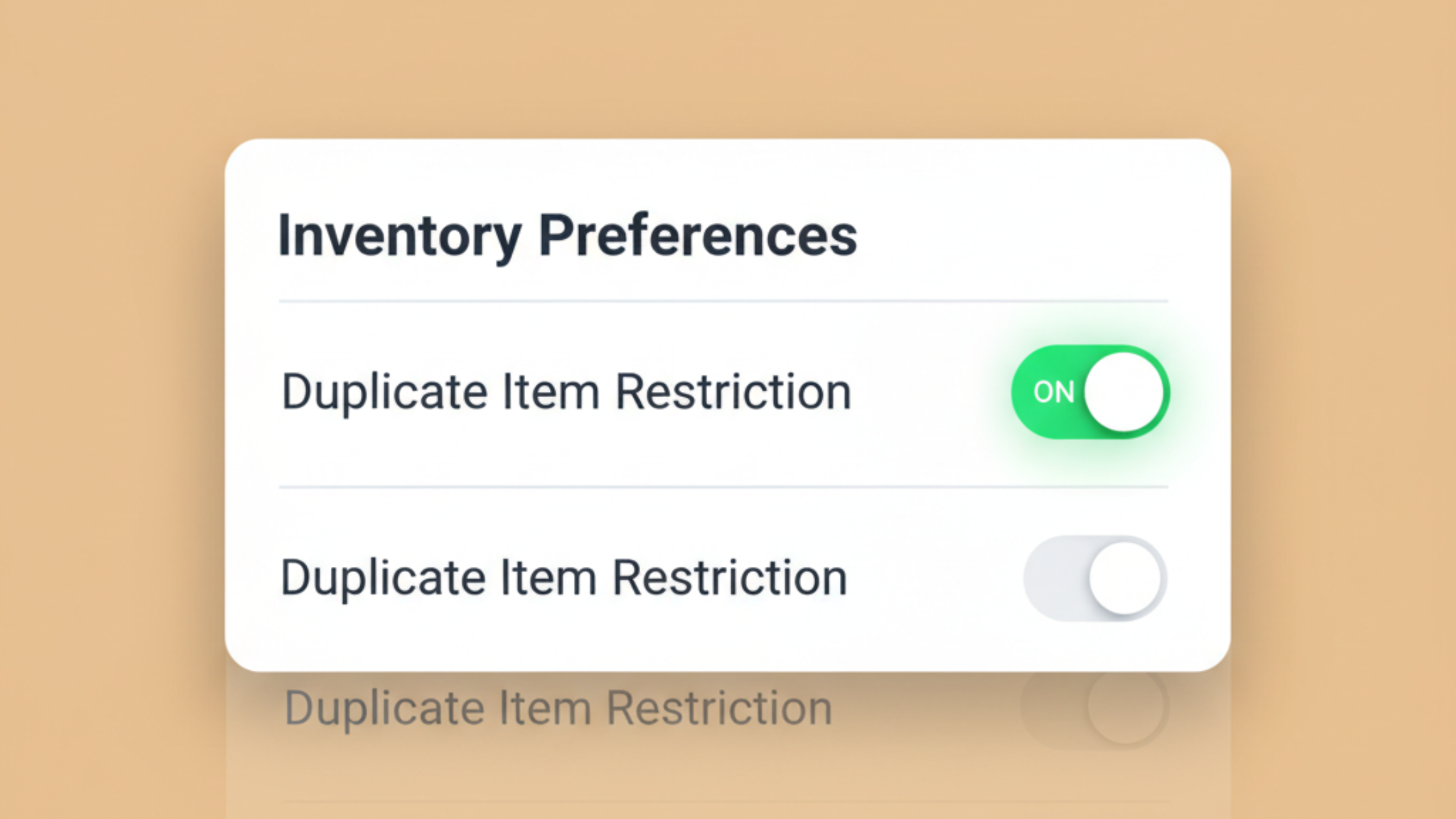
Avoid Duplicate Inventory Entries in BharatERP Desktop — Smarter Control with Inventory Preferences
Managing inventory efficiently is one of the most critical aspects of running a successful business. Whether you run a retail shop, a kirana store, a pharmacy, or a hardware outlet, your inventory data is the backbone of your billing, purchasing, and reporting decisions. One recurring problem that quietly damages this foundation is duplicate inventory entries — and BharatERP Desktop has now introduced a direct solution for it.
Why Duplicate Inventory Entries Are a Bigger Problem Than They Seem
Duplicate items in your inventory might appear harmless at first. But over time, even small data inconsistencies can snowball into serious operational issues. Here's what typically happens:
- The same barcode is entered more than once, often by different staff members or during a rushed data entry session
- An item name is created again because the original entry wasn't found quickly enough during search
- During billing, multiple similar entries appear in the dropdown, creating confusion about which one to select
- Stock levels get split across duplicate records, making your actual stock count unreliable
- Purchase orders get raised for stock you already have, because the system shows low quantity on one of the duplicates
- End-of-month reports show inconsistent figures, leading to hours of manual reconciliation
These issues are especially common in growing businesses where multiple people manage inventory. The problem isn't carelessness — it's that the system wasn't preventing it. Until now.
What's New in BharatERP Desktop: Duplicate Item Restriction
BharatERP Desktop has introduced a new control under Inventory Preferences called Duplicate Item Restriction.
When enabled, the system will not allow a new inventory item to be saved if:
- The same barcode already exists in the system, AND
- The same item name already exists in the system
This dual-condition check ensures the restriction is smart — not overly aggressive. Items with the same name but a different barcode (e.g., two sizes of the same product with separate barcodes) will still be allowed. Only true duplicates — same barcode and same name — are blocked.
How to Enable Duplicate Item Restriction in BharatERP
Activating this feature takes just a few seconds:
- Open BharatERP Desktop
- Go to Settings
- Navigate to Inventory Preferences
- Find Duplicate Item Restriction and enable it
Once active, any attempt to save a duplicate item will be flagged immediately, preventing the entry from being created.
Key Benefits for Your Business
✔ Accurate Inventory Records — Every product in your system is unique, ensuring stock counts reflect reality
✔ Faster, Error-Free Billing — Staff can search and select items confidently without encountering confusing duplicates
✔ Reliable Stock Reports — Your purchase reports, stock summaries, and GST reports will be based on clean, consistent data
✔ Reduced Manual Work — Less time spent finding and merging duplicate entries at the end of the month
✔ Better Decision Making — When you trust your inventory data, you make smarter buying and selling decisions
Who Benefits Most from This Feature?
This update is especially valuable for:
- Retail and kirana stores managing hundreds of SKUs across categories
- Pharmacies and medical stores where barcode accuracy is critical for dispensing
- Hardware and electrical shops with large product catalogs managed by multiple staff
- Textile and garment stores where similar items with slight variations are common
- Any business using BharatERP with multiple users adding or updating inventory
BharatERP: Built for Indian SMBs
BharatERP is a free GST billing software designed specifically for Indian small and medium businesses. From inventory management to GST invoicing, purchase orders to stock reports — BharatERP covers the complete billing workflow without the complexity or cost of enterprise software.
Features like Duplicate Item Restriction are built based on direct feedback from our users — real business owners who face these challenges daily. Our goal is simple: make your operations cleaner, faster, and more accurate so you can focus on growing your business.
Final Thoughts
Duplicate inventory entries are one of those problems that seem minor until they aren't. A few duplicates today can mean hours of cleanup and unreliable data six months from now. With Duplicate Item Restriction in BharatERP Desktop, you now have a proactive safeguard built right into your inventory workflow.
Enable it today under Inventory Preferences and keep your product catalog clean from the start.
Have questions or feedback about this feature? Reach out to the BharatERP support team — we're always happy to help.

Be the first to comment!